


Peoria Journal Star
2.4182.00 Reviews
App Specs
- Version
- 8.10.3
- Updated On
- License
- Free
- Downloads
- 10,000+
- Developer
- USA TODAY Co.
- Categories
- News & Magazines
- Platform
- Android
Screenshots

 Analysis by AppCompare
When it comes to staying informed about local happenings, the Peoria Journal Star app is a go-to for anyone in the Peoria area. Whether you’re interested in local news, sports updates, or community events, this app has you covered. Let me walk you through my experience with it.
What Makes the First Week Useful
The first appeal is straightforward: one place to check for local reporting, sports, and community coverage instead of piecing together snippets from general news feeds. If you live in or near Peoria, that focus can make a quick morning scan feel more relevant than scrolling through a national app that only occasionally surfaces nearby stories. The app is free to install, and its Everyone age rating makes it suitable for a broad audience.
In practical use, I’d treat the first few days as a chance to learn which sections deserve a regular look rather than trying to read everything. A useful habit is to open the local coverage first, then move to national stories only when you have more time. That keeps the app serving a clear purpose: helping you understand what is happening around Peoria, not adding another endless feed to your day.
Getting Started with the App
Downloading the Peoria Journal Star app is a breeze. It’s available on both Android and iOS, so you’ll find it easily on the Google Play Store or Apple’s App Store. Once installed, you’re greeted with a straightforward interface that’s intuitive to navigate. Personally, I appreciate when an app doesn’t overwhelm you with too many features right off the bat.
Design and Usability
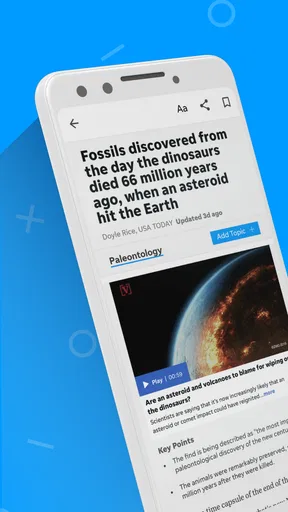
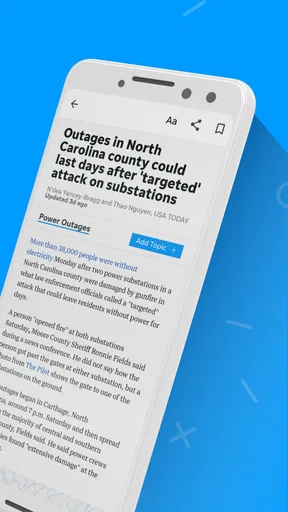
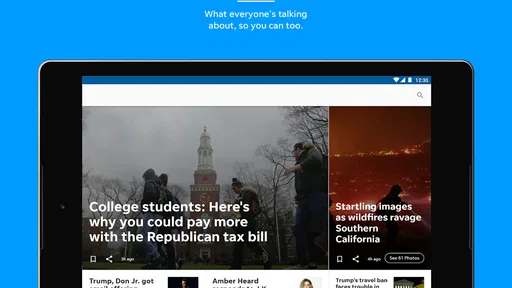
The design is clean and minimalistic, which is exactly what you need in a news app. You’ll find the main menu at the bottom, offering quick access to articles, videos, and photos. It’s divided into sections like News, Sports, and Community, making it easy to jump to what you’re interested in. I found the app responsive and swift when scrolling through articles, which is a plus for those of us who are always on the go.
For a realistic daily routine, I’d check headlines over breakfast, save my attention for a longer local piece later, and use the sports section when there is a team or event I already follow. That sort of selective reading matters: a local news app is most useful when it answers a specific question—what changed nearby, what decision is being discussed, or what happened in a game—rather than when you feel obliged to browse every screen.
News Coverage
One of the highlights of the app is the extensive news coverage it offers. Whether you’re looking for breaking news or in-depth investigative pieces, the app provides a comprehensive array of articles. The local stories are particularly well-covered, giving you insights into what’s happening right in your neighborhood. I found myself diving into articles about local government decisions and community stories more often than I expected.
Worth Reading Before You Choose

EA SPORTS FC Mobile 26 Is a Bigger Football Game, but It Takes Time

Flipboard Shows What News Apps Must Do Beyond the Feed

Switching to Android Auto Means Rethinking Your Driving Routine

Google Calendar Makes a Crowded Week Easier to Manage

Ludo King Makes the Most of the Minutes Between Plans

Baby Panda World Brings Quick Play to Modern Phones, but Its Game Library Feels Busy
This is where the app has a different job from a national aggregator. A broad news feed is usually better when you want a wide range of publishers and a quick overview of major events; this app makes more sense when your priority is Peoria-area reporting. I would use both selectively rather than expect one to replace the other. For a developing local issue, read beyond the headline and return to the story later if it changes; a single alert or brief item is not a substitute for following the decisions and context over time.
Personalization Features
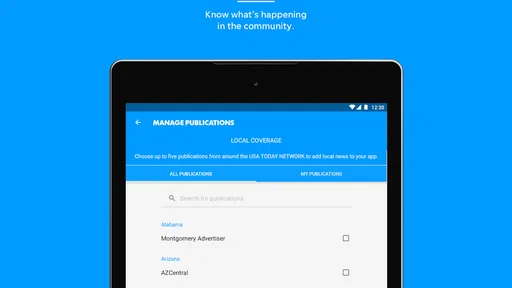
Another feature worth mentioning is the personalization capability. You can customize your news feed to focus on topics that matter most to you, whether it’s local politics, sports, or arts. This feature is a game-changer for anyone who wants to cut through the noise and get straight to the content they care about. Plus, you can set up notifications for breaking news alerts to stay updated even when you’re not actively using the app.
My advice is to begin with only the subjects you genuinely check, then adjust after you see what earns a place in your routine. A tightly chosen feed can make a local outlet feel more useful; selecting every topic and enabling every alert can recreate the very clutter you hoped to avoid. I’d reserve notifications for developments where timing matters to me and rely on a deliberate check-in for ordinary reading. That trade-off helps keep news useful without letting it interrupt unrelated parts of the day.
Multimedia Content
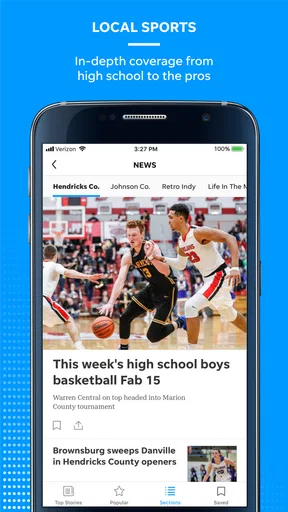
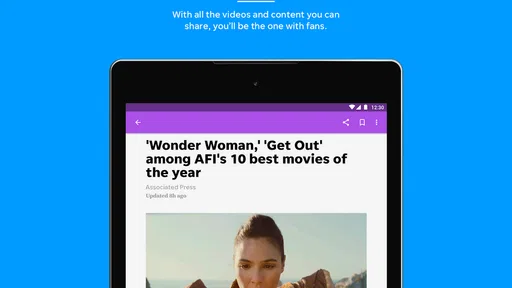
In addition to written articles, the app includes a variety of multimedia content. From video clips to photo galleries, there’s plenty to engage with. I particularly enjoyed the local sports coverage, which includes highlights and commentary. This multimedia approach adds a dynamic element to the news experience, making it more immersive.
Photos and video are most valuable when they add evidence or atmosphere that text alone cannot convey: a visual account of a community event, or a clearer sense of a sports moment. They also take more time and may be less convenient when you are on a weak connection or trying to read quietly in a short break. I’d open that material when I have a reason to watch, rather than treating every gallery as essential. For a quick factual check, an article is often the more efficient choice.
Month-to-Month Value and Maintenance
The app’s lasting value depends less on novelty than on whether local coverage keeps answering questions you actually have. USA TODAY Co. is the developer, and the app sits in the news and magazines category. It has a 2.4 average from around 370 ratings, so I would approach it with measured expectations rather than assume every part of the experience will suit every reader. Its 10K-plus installs suggest an established audience, but popularity alone does not tell me whether the local reporting matches my interests.
There is little need to turn maintaining a news app into a project. I’d revisit topic choices when the feed starts feeling irrelevant, and reconsider alerts if they become interruptions rather than useful prompts. The current version is 8.7.1 and the stated minimum operating system is 8.0, which helps establish compatibility, while the app itself remains free to download. In-app purchases range from $14.99 to $69.99 per item, so I would check the purchase details carefully before committing to anything; a free install does not mean every optional offering is free.
Where News Fatigue Can Creep In
Local coverage is a strength, but it can also feel repetitive if you only want broad national headlines or if the same ongoing issue dominates your attention. Breaking alerts can add to that fatigue, especially when several topics are selected. I would skip this app if I mainly want a cross-publication news digest, need a strong international focus, or dislike notifications and do not want to manage them. A general news aggregator or the websites and apps of several outlets may fit those needs better.
There is also a useful distinction between staying informed and staying constantly updated. I would set a simple routine—perhaps one check in the morning and another when a local story matters—rather than reopening the app every time I have a spare moment. If a story affects a decision, such as a community meeting or a local change, read the full coverage and look for follow-up reporting instead of relying on a short alert. That approach makes the app a tool for context, not just a stream of prompts.
Challenges and Improvements
While the app is robust, there are a few areas where it could improve. Occasionally, I noticed that some articles took a bit longer to load, particularly those with a lot of multimedia content. Additionally, the app could benefit from more interactive elements, such as polls or comment sections, to engage users more deeply.
Those slow moments matter most when you are trying to read between errands or open a video over a limited connection, so I would not make multimedia the default choice when speed is the priority. The experience also seems better suited to reading and viewing than to joining a public discussion. If conversation and multiple viewpoints are central to how you follow news, you may prefer a platform built around reader discussion alongside reporting. If the goal is simply to keep a steady eye on Peoria, these limitations are easier to work around.
Final Thoughts
All in all, the Peoria Journal Star app is a solid choice for anyone wanting to keep up with local news in the Peoria area. Its user-friendly design, personalized content options, and multimedia offerings make it a valuable tool for staying informed. While there’s always room for improvement, particularly in terms of loading times and interactivity, the app does a commendable job of delivering comprehensive and relevant content. If you’re in the area, it’s definitely worth a download.
I’d recommend it most to Peoria-area readers who want local reporting close at hand and are willing to shape their feed and alerts around their own habits. It is less compelling as a one-stop source for someone whose interests are mostly national or whose ideal news experience is a conversation with other readers. The practical test is simple: after the first burst of curiosity, do the local stories help you understand your community often enough to justify keeping the app installed? If yes, a modest routine can give it durable value. If not, there is no reason to keep checking out of habit alone.
Pros
- User-friendly interface and navigation.
- Comprehensive local news coverage.
- Timely updates on breaking news.
- Customizable notification settings.
- Offline reading mode available.
Cons
- Limited international news coverage.
- Ads can be intrusive at times.
- Subscription required for full access.
- Occasional app performance lags.
- No dark mode for reading at night.
FAQs for Peoria Journal Star
What features does the Peoria Journal Star app offer?
The Peoria Journal Star app provides users with access to the latest local news, sports updates, weather forecasts, and multimedia content. It offers customizable notifications, allowing you to stay informed about breaking news. The app also includes interactive features like commenting on articles and sharing stories on social media platforms.
Is the Peoria Journal Star app free to use?
The Peoria Journal Star app is free to download, but it includes both free and subscription-based content. Some articles and features are accessible without a subscription, while premium content requires a paid digital subscription. This allows users to choose the level of access that best suits their needs.
How can I customize notifications in the Peoria Journal Star app?
To customize notifications, navigate to the settings menu within the app. Here, you can select your preferences for receiving alerts, such as breaking news, sports scores, or weather updates. This ensures you only receive notifications that are relevant to your interests and preferences.
Is the Peoria Journal Star app available for both Android and iOS devices?
Yes, the Peoria Journal Star app is available for download on both Android and iOS platforms. It can be found in the Google Play Store for Android devices and the Apple App Store for iOS devices. Ensure your device meets the app's compatibility requirements for optimal performance.
Can I read offline with the Peoria Journal Star app?
Yes, the Peoria Journal Star app allows you to save articles for offline reading. This feature is particularly useful if you want to access content without an internet connection. Simply download the articles while online, and you can read them at your convenience, even in areas with limited connectivity.


